


Leslie's - Pool Care
4.0922.00 Reviews
App Specs
- Version
- 10.9.2
- Updated On
- License
- Free
- Downloads
- 100,000+
- Developer
- Leslie's, Inc.
- Categories
- House & Home
- Platform
- Android
Screenshots
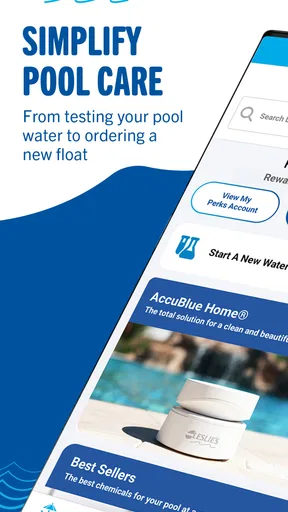
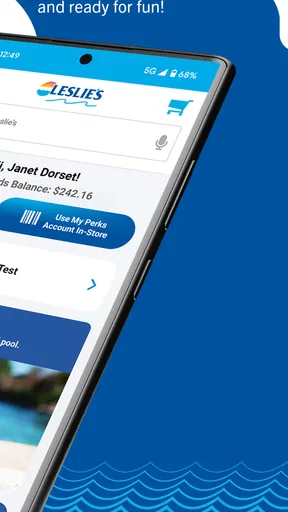
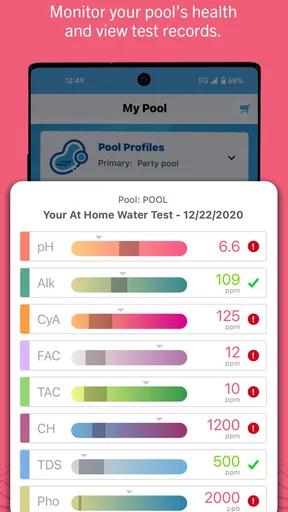
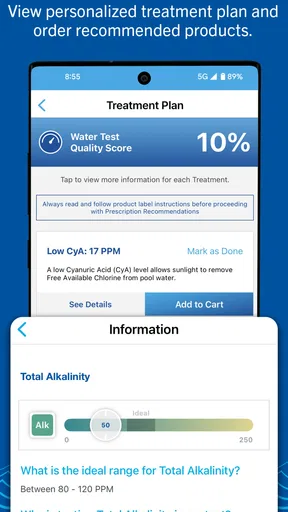
 Analysis by AppCompare
For pool owners, trust is not just about whether an app gives a tidy answer; it is about knowing how much to rely on that answer when water, chemicals, and a family’s plans are involved. I see Leslie's - Pool Care as a practical companion for routine decisions, not a substitute for careful testing or sound judgment. Leslie’s, Inc. makes the free House & Home app, which has a 4.0 average from around 1,700 ratings and more than 100,000 installs. That gives a prospective user some context, but it does not tell me how the app handles personal information or what access it requests. I would check the permission prompts and privacy details on my device before sharing anything, and make choices based on what I am comfortable providing.
Where trust matters in pool care
Pool advice can lead directly to a purchase or to adding something to the water, so I would treat each recommendation as a prompt to verify, not as an instruction to follow blindly. The app’s water-testing and guidance workflow is most useful when I have tested carefully, entered or scanned the result accurately, and read the suggested steps in full. If the pool has an unusual problem, or a result seems surprising, I would pause and get help rather than trying to correct everything at once.
That cautious approach is especially useful for new pool owners. A result can feel reassuring because it is presented in a clear format, but clarity is not the same as certainty. I would keep the package directions for any product I use nearby and follow them alongside the app’s advice. That small habit makes the app a helpful organizer without making it the sole authority on the water.
Getting Started with Leslie's - Pool Care
First things first, let’s talk about getting started. Downloading the app is a cinch. It’s available on both Android and iOS, so you can snag it from the Google Play Store or the App Store. Once installed, the app greets you with a sleek, user-friendly interface. It’s like the app is saying, "Hey, I’m here to make your life easier!"
What I would check before relying on a result
The camera-based strip workflow can save a trip to a store for testing, but it depends on a usable strip and a careful scan. I would test in good, even light, hold the strip as directed, and avoid rushing through the reading. If the colors look borderline or the scan does not seem to match what I see, I would retest rather than treating a single uncertain result as a firm diagnosis. This is a simple way to avoid turning a small measurement doubt into an unnecessary chemical adjustment.
I would also make a note of the test result and what I actually add to the pool. That gives me a basic record to compare at the next check and makes it easier to notice whether a change is helping. Even if I use the app’s recommendations, keeping a short paper or phone note prevents me from relying on memory when several steps happen over a few days.
Features That Stand Out
The app is packed with features, and honestly, it’s hard not to get a little excited. Here are a few highlights:
Worth Reading Before You Choose

EA SPORTS FC Mobile 26 Is a Bigger Football Game, but It Takes Time

Flipboard Shows What News Apps Must Do Beyond the Feed

Switching to Android Auto Means Rethinking Your Driving Routine

Google Calendar Makes a Crowded Week Easier to Manage

Ludo King Makes the Most of the Minutes Between Plans

Baby Panda World Brings Quick Play to Modern Phones, but Its Game Library Feels Busy
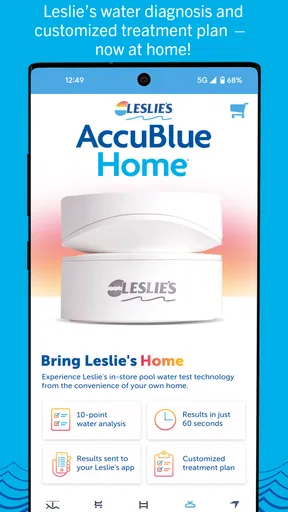
- Water Testing: Leslie’s app lets you test your pool water with the help of a nifty feature that uses your phone’s camera to scan test strips. It’s almost like magic!
- Personalized Pool Care: Based on your test results, the app provides personalized recommendations. Say goodbye to guesswork.
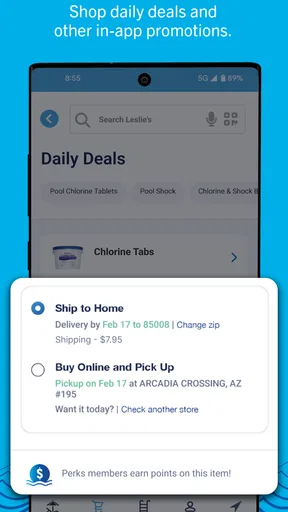
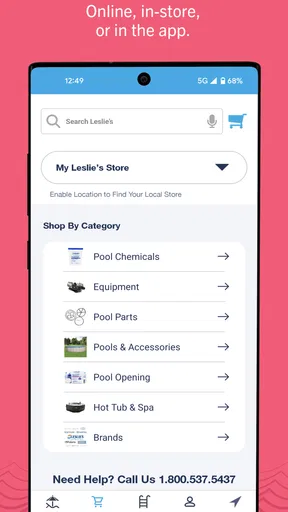
- Shopping Made Easy: Need chemicals or pool accessories? The app connects directly to Leslie’s store, making shopping a breeze.
- Pool Maintenance Calendar: Never forget a maintenance task again. The app allows you to schedule reminders, ensuring your pool is always in tip-top shape.
Making the routine work in real life
The calendar is most valuable when I use it for repeatable habits rather than trying to schedule every possible pool task. I would set reminders for the checks I tend to forget, then leave one-off work flexible until I have tested the water and know what it needs. That keeps notifications useful instead of turning them into background noise. A reminder can prompt a test, but the result should guide the next step.
Here is a realistic weekend example: I plan to have friends over on Saturday, so I check the water earlier in the week instead of waiting until the morning of the gathering. I scan a strip, read the recommendation, and note what I do. If the result calls for action, I have time to follow product directions and check again before guests arrive. The app helps me organize that sequence; it cannot remove the need to allow time for the water to respond.
Shopping from the same place can be handy when a test points to a specific supply, but convenience can also encourage buying before I have checked what I already own. I would compare the recommendation with the labels on my existing products and avoid stocking up simply because the store is close at hand in the app. For routine supplies, that quick inventory is a small step that can prevent duplicate purchases.
Using Leslie's - Pool Care
Now, let’s talk about the experience of actually using the app. From my experience, the app is incredibly intuitive. You don’t need to be a tech wizard to navigate through it. The water testing feature is straightforward, and the results are detailed yet easy to understand. It’s like having a pool technician in your pocket.
The personalized advice is one of my favorite aspects. After testing your water, the app breaks down exactly what you need to do. Whether it’s adding a specific chemical or adjusting your pool's pH levels, the directions are clear and concise. It’s like the app is holding your hand through the entire process.
When a different approach is better
Compared with a notebook and manual test-kit routine, the app can make results and next steps easier to keep together, and it brings shopping into the same experience. A notebook, on the other hand, can be more flexible if I want to record details in my own format or keep a long-running history without relying on an app. A local pool professional may be the better choice when a problem is persistent, confusing, or beyond the owner’s experience. I would not expect a phone scan to replace a careful in-person assessment in those situations.
The app is a good fit for owners who want accessible guidance and a convenient way to connect testing with supplies and reminders. It is less suited to someone who prefers not to use a retailer-linked shopping experience, wants no app involvement in pool records, or already has a trusted testing and maintenance system that works well. It also will not be a shortcut for someone unwilling to read product directions or perform follow-up checks.
Keeping control of personal choices
I would approach account and privacy decisions in the same measured way as chemical recommendations: review what the app asks for, provide only what I am comfortable sharing, and revisit the device’s permission settings if my needs change. A request that appears during setup deserves a quick read rather than an automatic tap. The useful question is whether that access is necessary for the task I am trying to do at that moment.
For a data-sensitive user, the practical test is straightforward: decide whether the testing, reminders, and shopping convenience are worth using within the choices the app presents. If I do not want to connect a particular detail or grant a permission, I would decline it and see whether the functions I care about remain available. I would not assume that declining one option disables everything, nor assume that every feature works without it; I would let the app’s own prompts show what is required.
On Android, the minimum operating system is version 8.0, and the current version is 10.8. The app is rated for Everyone, which may make it suitable for a household device, but I would still supervise any account or purchase decisions made by children. The age label is not a reason to let a child independently interpret chemical advice or handle pool products.
Why I Love This App
Alright, let’s get personal. Why do I love Leslie's - Pool Care? For one, it saves me time and frustration. No more second-guessing my pool’s chemical needs or running back and forth to the store. The app handles the heavy lifting, and I get to enjoy more pool time with friends and family.
Plus, the convenience of having everything in one place—from water testing to shopping—makes this app a pool owner’s dream come true. It’s like having a pool care assistant who’s always on call.
A sensible way to use the convenience
What I value most is the chance to turn a vague chore into a repeatable process: test, read, decide, act, and check again when needed. That sequence is more dependable than making a guess based on appearance alone. Still, I would not let a neat recommendation persuade me to add multiple products without understanding the directions and timing. The app can make the routine easier to follow, while the owner remains responsible for how and when products are used.
If I were deciding whether to install it, I would ask myself whether I want testing guidance, a reminder tool, and shopping together, or whether I only need one of those things. Someone who already gets regular professional service may find the app useful for basic awareness between visits, but may not need its full routine. Someone who handles all pool care independently is more likely to appreciate having those tasks in one place.
Final Thoughts
If you’re a pool owner, I can’t recommend Leslie's - Pool Care enough. Whether you’re a seasoned pro or a newbie, this app has something for everyone. It’s practical, efficient, and honestly, a game-changer for pool maintenance. So, go ahead and give it a try. Your pool (and your peace of mind) will thank you.
My more cautious recommendation is to start with one ordinary testing cycle and see whether the scan, advice, and reminders suit your habits before making the app central to every pool decision. Keep product labels in view, record what you do, and use another source of help when a result is unclear or a problem does not improve. With that mindset, it can be a convenient aid rather than an unquestioned authority—a distinction that matters whenever software guidance leads to real-world chemical use.
Pros
- User-friendly interface for easy navigation.
- Comprehensive pool care tips and guides.
- Real-time chemical level tracking feature.
- Customizable maintenance schedule reminders.
- Offline access to essential pool data.
Cons
- Limited support for saltwater pools.
- Occasional sync issues with some devices.
- Ads can be intrusive during use.
- Premium features behind a paywall.
- No integration with smart home systems.
FAQs for Leslie's - Pool Care
What features does Leslie's - Pool Care offer to users?
Leslie's - Pool Care app provides users with a comprehensive suite of tools to maintain their pools. It includes features such as water testing, chemical calculators, maintenance schedules, and shopping for pool supplies. Users can also access expert tips and customer support directly through the app.
Is Leslie's - Pool Care app available for both Android and iOS devices?
Yes, Leslie's - Pool Care is available for download on both Android and iOS platforms. You can find it on the Google Play Store for Android users and the Apple App Store for iOS users. Ensure your device meets the necessary system requirements for optimal performance.
Does Leslie's - Pool Care require an internet connection to function?
While some features of Leslie's - Pool Care, such as accessing expert advice and shopping for supplies, require an internet connection, many tools like water testing and maintenance scheduling can be used offline. However, it's recommended to connect to the internet periodically to update the app with the latest features and tips.
Are there any subscription fees or in-app purchases in Leslie's - Pool Care?
Leslie's - Pool Care is free to download and use. However, the app may offer optional in-app purchases for additional services or features. These can include premium advice or exclusive discounts on pool supplies. Users can choose to take advantage of these offers based on their needs.
How user-friendly is the Leslie's - Pool Care app for beginners?
Leslie's - Pool Care is designed with an intuitive interface, making it user-friendly for both beginners and experienced pool owners. The app provides step-by-step guides, detailed instructions, and visual aids to assist users in navigating pool maintenance tasks effectively, ensuring a hassle-free experience.


